Kanban & swimlanes
The same selection as a kanban by state or as swimlanes per person — to see how work is spread across the team.
The list is sorted by time. It is good at telling you what came in last, and poor at showing how the work is currently spread. For that there are two more views of the same selection: the kanban and the swimlanes. You switch at the top right above the list; your choice is remembered.
Important: kanban and swimlanes are not a second place. You still pick the mailbox, folder and view on the left in the sidebar. Only the way the same threads are displayed changes.
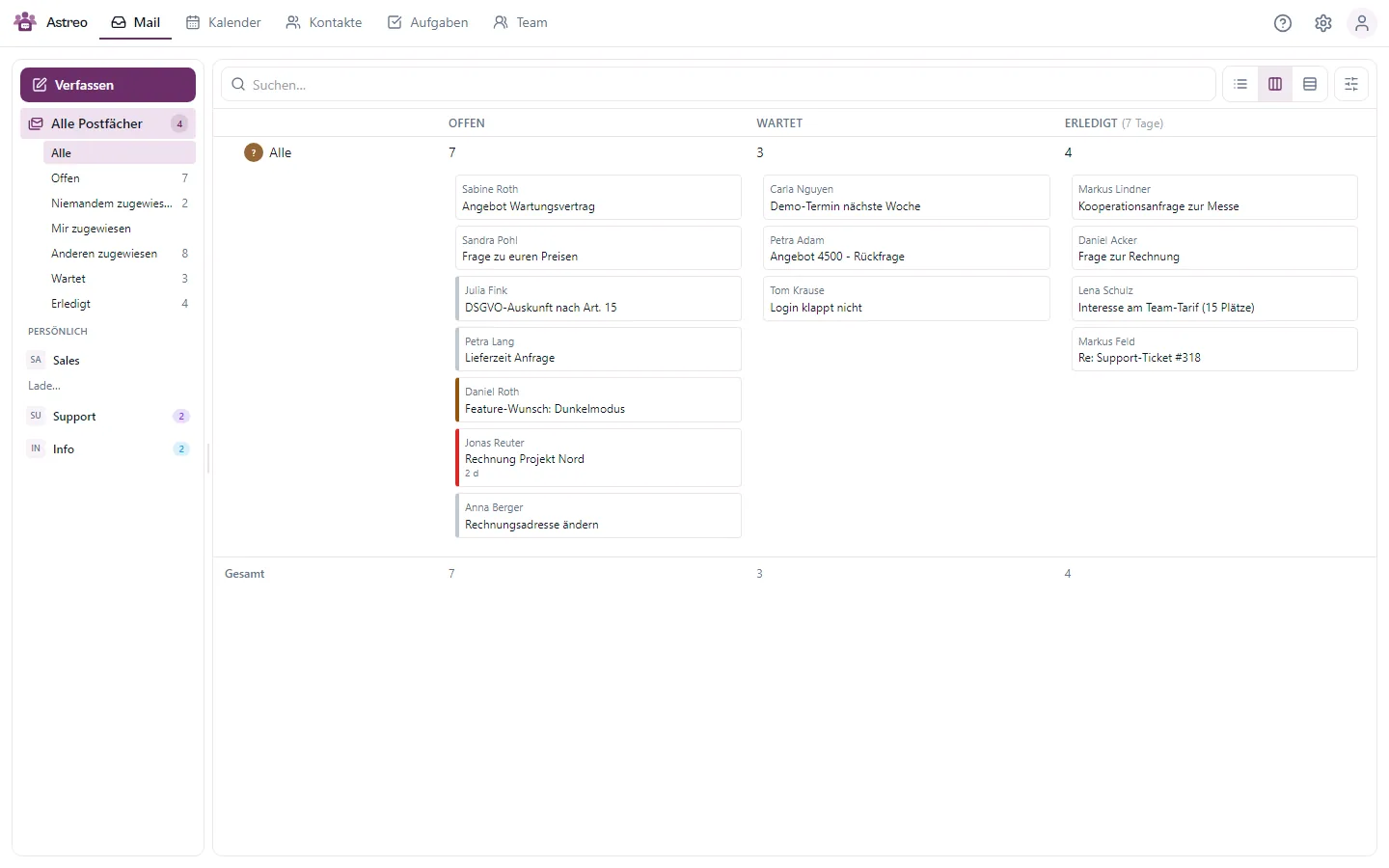
The kanban
Three columns, exactly the three states: Open, Waiting, Completed. Each card is a case with its sender and subject. Drag a card into another column to change its state.
The "Completed" column shows the last seven days. Otherwise it would turn into a graveyard nobody reads, and the count above it would say nothing.
Swimlanes per person
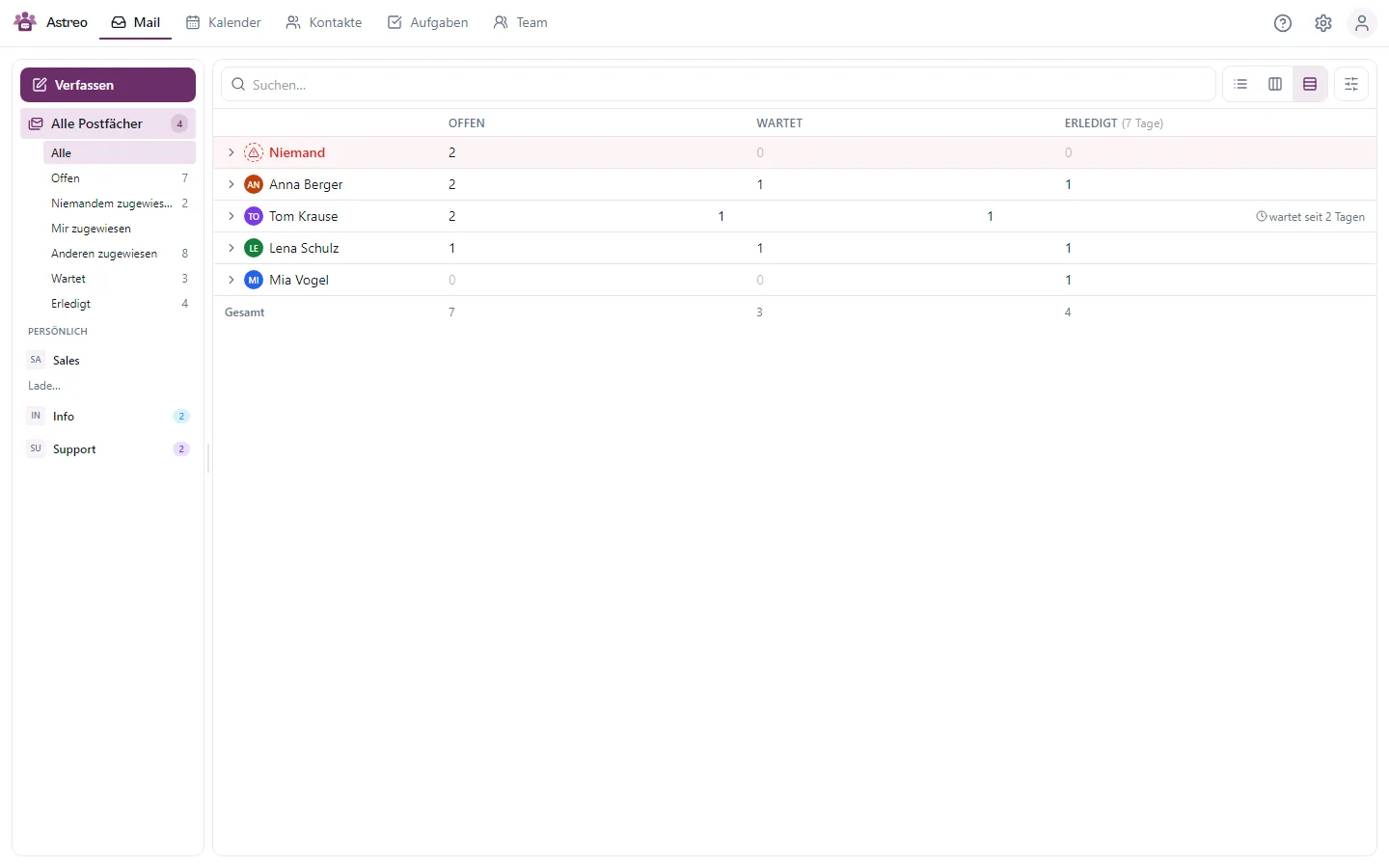
The second view adds one row per person across the three columns. That turns the team lead's question into a table: who has how much open, who is waiting, who has completed what?
- "Unassigned" is always at the top and highlighted. Anything nobody owns is an oversight; everything else is just distribution.
- The people follow, sorted by open workload, highest first.
- On the right of each swimlane you see the oldest open case. "11 open" is workload; "for six days" is a problem.
- Empty swimlanes stay visible. A row of zeros is a statement too.
Collapsed, a swimlane is just a row of numbers; expanded, it shows the cards. The numbers in the header come from a separate count, not from the cards that were loaded, so they are correct even when a swimlane only shows its first twenty cards.
Dragging: state, owner or both
In the swimlanes, dragging works in two directions, and both mean something:
- horizontally into another column: changes the state,
- vertically into another swimlane: assigns the case to that person,
- diagonally: both at once, the assignment first.
Dragging needs a mouse. If you work with the keyboard, change state and assignment as usual in the list or on the open case, where both are fully available.
Which view when?
- List for your own work: read, reply, work through it.
- Kanban for the state of a mailbox: what is pending, what is stuck, what is done.
- Swimlanes for how work is spread across the team, the team lead's view.