Today & the four stacks
The start page with Clear: what came in since yesterday, what needs a decision and what is already prepared.
With Clear, the day starts on the “Today” page. It answers one question: what needs doing now? The mail view is still there, but work on cases happens here — without leaving the page.
What came in since yesterday
At the top, one sentence sums up what has happened since last night, for example “Since yesterday 18:00: 6 mails, 7 new cases. 3 need you.” For Clear, a day ends at 18:00; that way the morning shows everything that arrived after hours.
On your first visit, an “Astreo Clear is on” box explains the four stacks in one sentence each. It disappears with “Got it”. As long as the Today page has never been opened, its tab at the top carries a “New” badge.
The four stacks
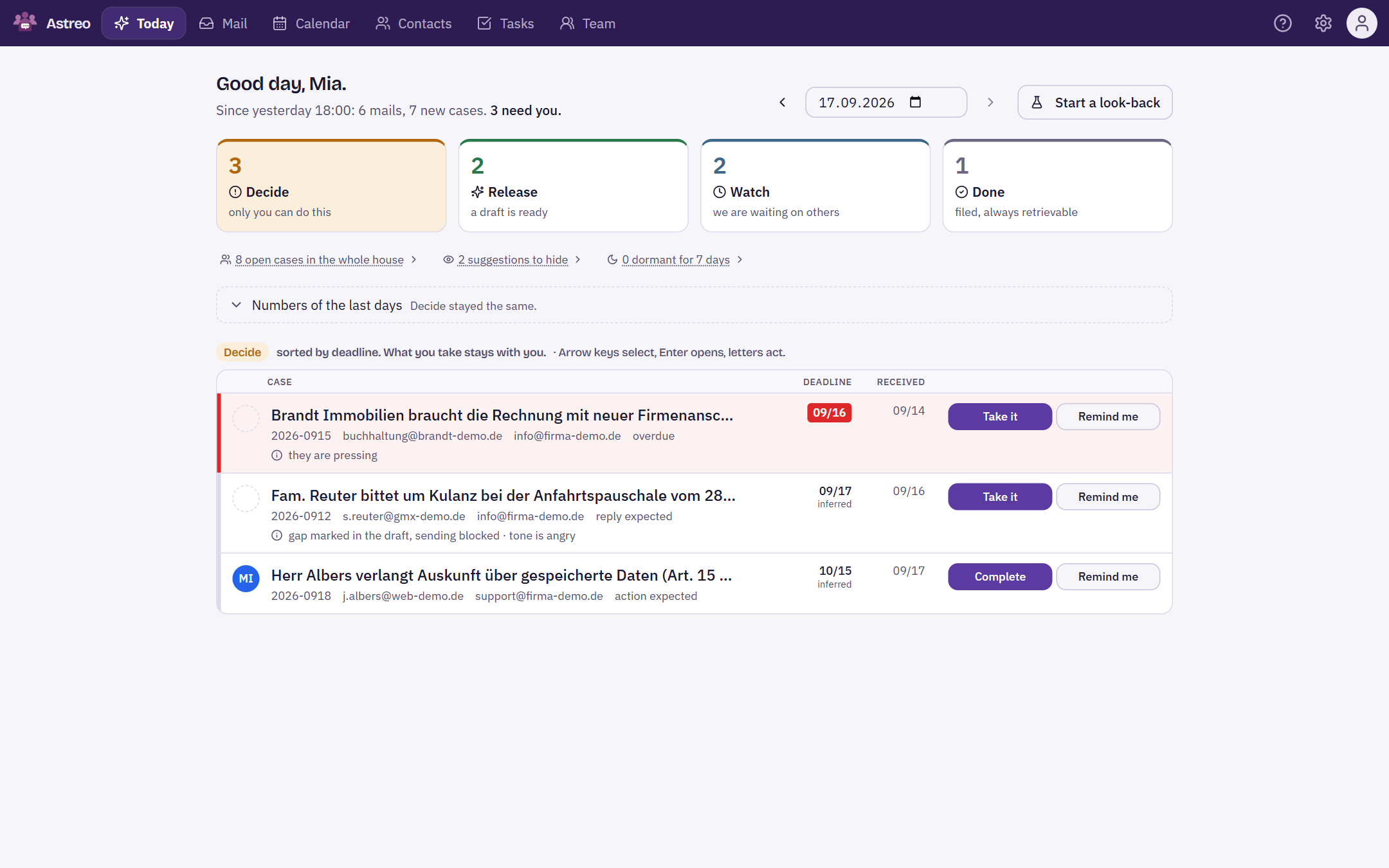
Every open case sits on exactly one stack. The stack does not say what the case is about, but what a person needs to do with it. Click a stack to see its list.
- Decide — “only you can do this”. Goodwill, price, a legal question, anything unclear, an overdue deadline or a commitment that is due. Sorted by deadline, overdue items in red.
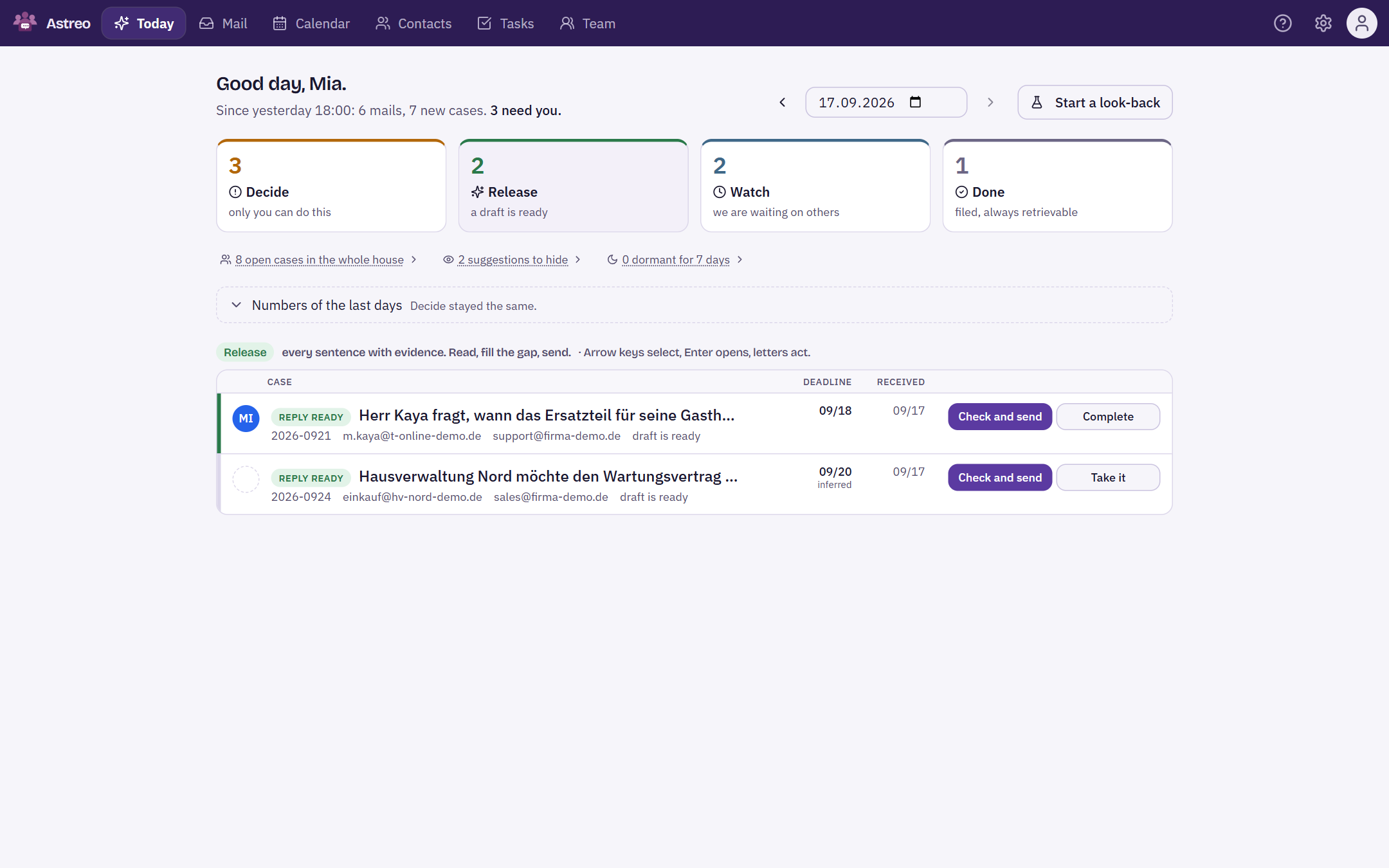
- Release — “a draft is ready”. Every sentence has a source: read it, fill the gap, send.
- Watch — “we are waiting on others”. The other side is up next, we have replied, the case has a reminder or is for information only. It comes back on its own when a deadline is due.
- Done — “filed, always retrievable”. Completed or hidden, always with a reason.
“Decide” and “Release” only show what belongs to you or to nobody yet. A reminder never pushes aside something that is already too late: an overdue deadline or a commitment that is due brings the case back to “Decide”.
Below the stacks
Three links open lists that do not need a stack of their own:
- “open cases in the whole house” — including what sits with others. So nothing gets stuck after you hand something over.
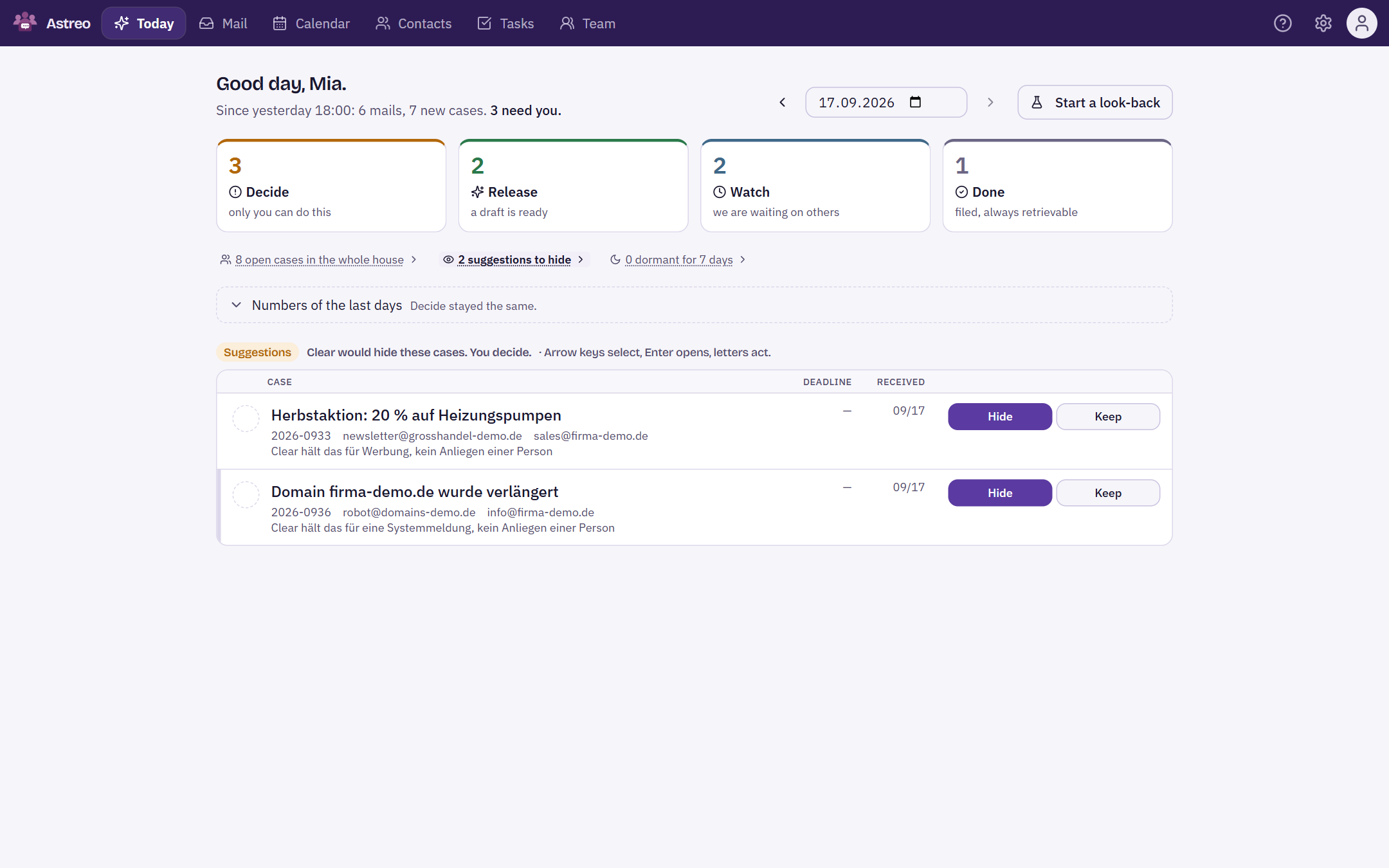
- “suggestions to hide” — advertising, newsletters and system notifications that Clear was not sure about, each with a reason. You decide with “Hide” or “Keep”; Clear remembers your correction.
- “dormant for … days” — open, but without any movement for a week. New mail wakes them up automatically.
What a row tells you
- Title — what the case is about, in one sentence written by Clear, not the mail subject.
- Reference number, counterpart, mailbox — in small print below.
- Deadline — by when, in red once overdue. The addition “inferred” means: the mail names no date, Clear derived it from the context.
- Why it is here — what Clear did, for example “2 mails bundled”, “gap marked in the draft, sending blocked”, “tone is angry” or “Commitment due”. Only what can be backed up is shown.
- Buttons on the right — the one or two actions needed most often on this stack: “Take it” and “Remind me” under Decide, “Check and send” under Release, “Bring it back” on a reminder, “Reopen” under Done.
“Take it” only appears on cases that do not belong to anyone yet. Pulling someone else's case to yourself is a hand-over and belongs in the case window. After every action, “Undo” appears in the same place for a few seconds.
Keyboard
Twenty similar cases can be worked through without a mouse:
- ↑ ↓ — select a row
- Enter — open the case. It only opens and never changes anything.
- U, P, S, W, J, A, B, O — on the selected row: Take it, Check and send, Complete, Remind me, Bring it back, Hide, Keep, Reopen. Only what is also shown as a button on the row works.
- Esc — close the window
Numbers of the last days
The expandable “Numbers of the last days” section shows, per day, how many mails came in, how many cases they became and how the stacks stood at 18:00. It also shows the day's movements, including the honest numbers: how many hidden cases were brought back and how many completed ones were reopened. If these rise, Clear is sorting too boldly for your company.
Look-back
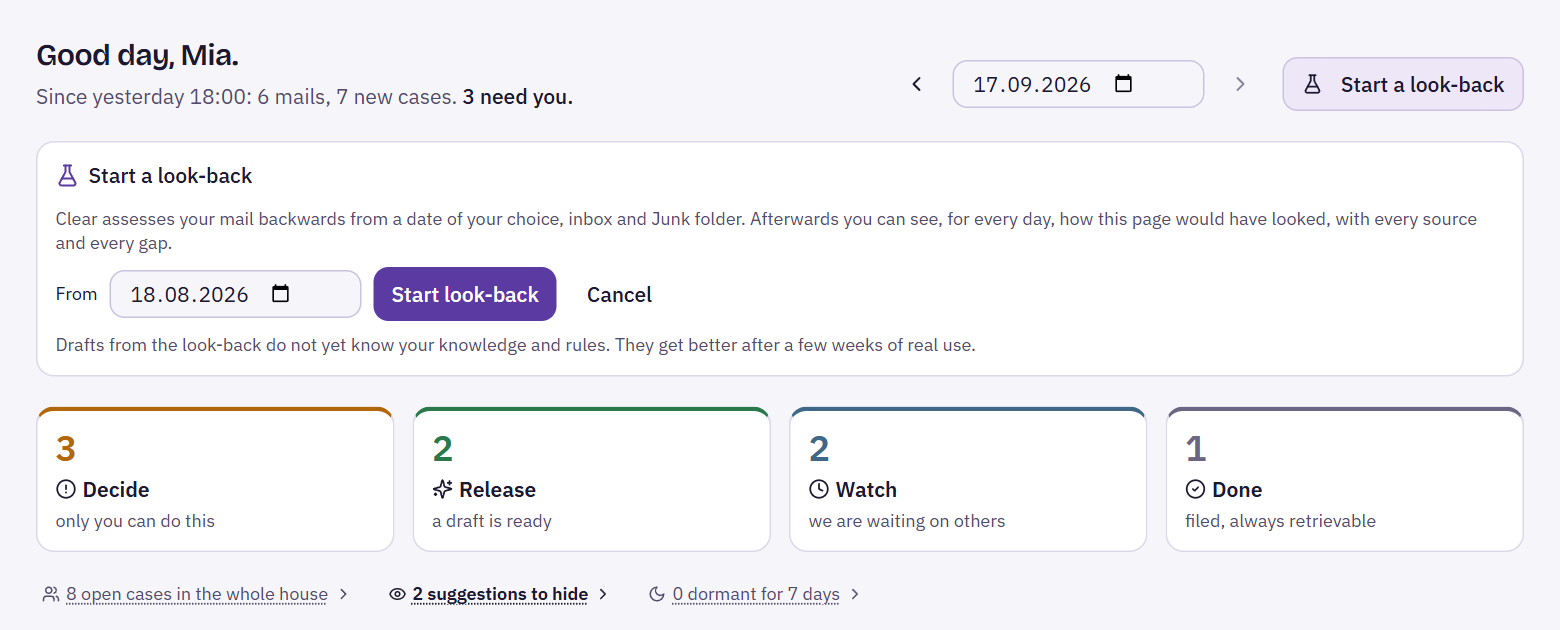
You do not have to wait for new mail. On the Today page, owners and admins use “Start a look-back” to run a retrospective analysis from a date of their choice, across the inbox and the junk folder. Nothing takes effect: nothing is hidden and nothing is written to the register.
While the look-back runs, a bar shows the progress. Afterwards you use the day picker at the top to select any day since the start and see how the Today page would have looked back then — with every source and every gap. This lets the team get to know Clear on familiar cases.
At the end you decide:
- “Finish and keep everything” — cases, drafts and suggestions become part of your data, the log moves into the register, and Clear carries on as normal.
- “Finish and delete everything” — everything the look-back created disappears. The mails stay.
A result card sums up how many mails were read, cases recognised, suggestions made and drafts written. Drafts from the look-back do not know your rules yet; they improve after a few weeks of use.
Today and tasks
Cases are worked on in “Today”, not in Tasks. Tasks only shows a note saying how many decisions are waiting in “Today” and how many of them are overdue, with a link there. Commitments that Clear recognises, on the other hand, appear as tasks in the list — more under Commitments, ownership & cover.