Reading & writing mail
Your everyday inbox: threads, search, composing, attachments.
Inbox & views
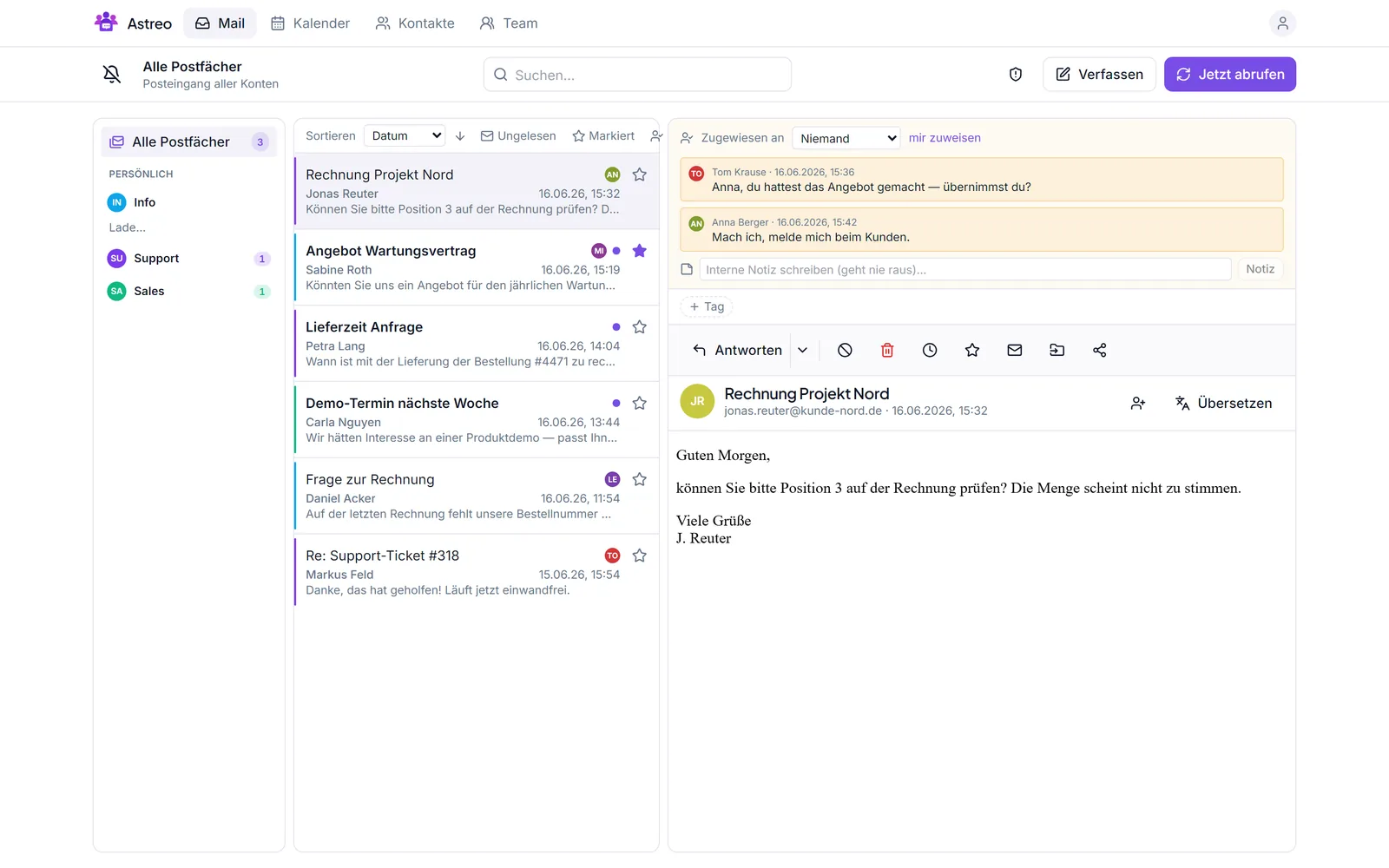
The middle column shows the threads of the selected mailbox — or of all mailboxes together. Above the list you can sort (e.g. by date) and filter, such as only unread, starred or threads assigned to me.
Threads & conversations
Astreo groups related messages into a thread (via the mail headers
In-Reply-To/References). In an open thread you read the history top to bottom; actions
like starring, assigning, tagging or internal notes apply to the whole thread.
Search
The global search at the top searches subject, sender and content via Postgres full-text search — so you can quickly find conversations again, even across several accounts.
Composing & sending
- Compose at the top opens a new message; you choose the sending account.
- When you reply, Astreo sets the correct headers (
In-Reply-To,References) so the reply lands cleanly in the thread. - The editor is HTML-capable; signatures and templates can be inserted in one click.
Attachments & virus scan
Add attachments while composing; incoming attachments are available on the thread. For safety, attachments are automatically scanned for malware (ClamAV) before you open or forward them.