Getting started
Up and running in minutes: sign in, connect your first mailbox, get to know the interface.
Signing in
Signing in happens at app.astreo.de. Three ways are available:
- Sign in with Google — via your Google account (OAuth). One click, no password entered in Astreo.
- Login link (magic link) — enter your email address and receive a one-time sign-in link. The link is valid for 15 minutes and can be used only once.
- Email & password — classic sign-in with your email address and a password.
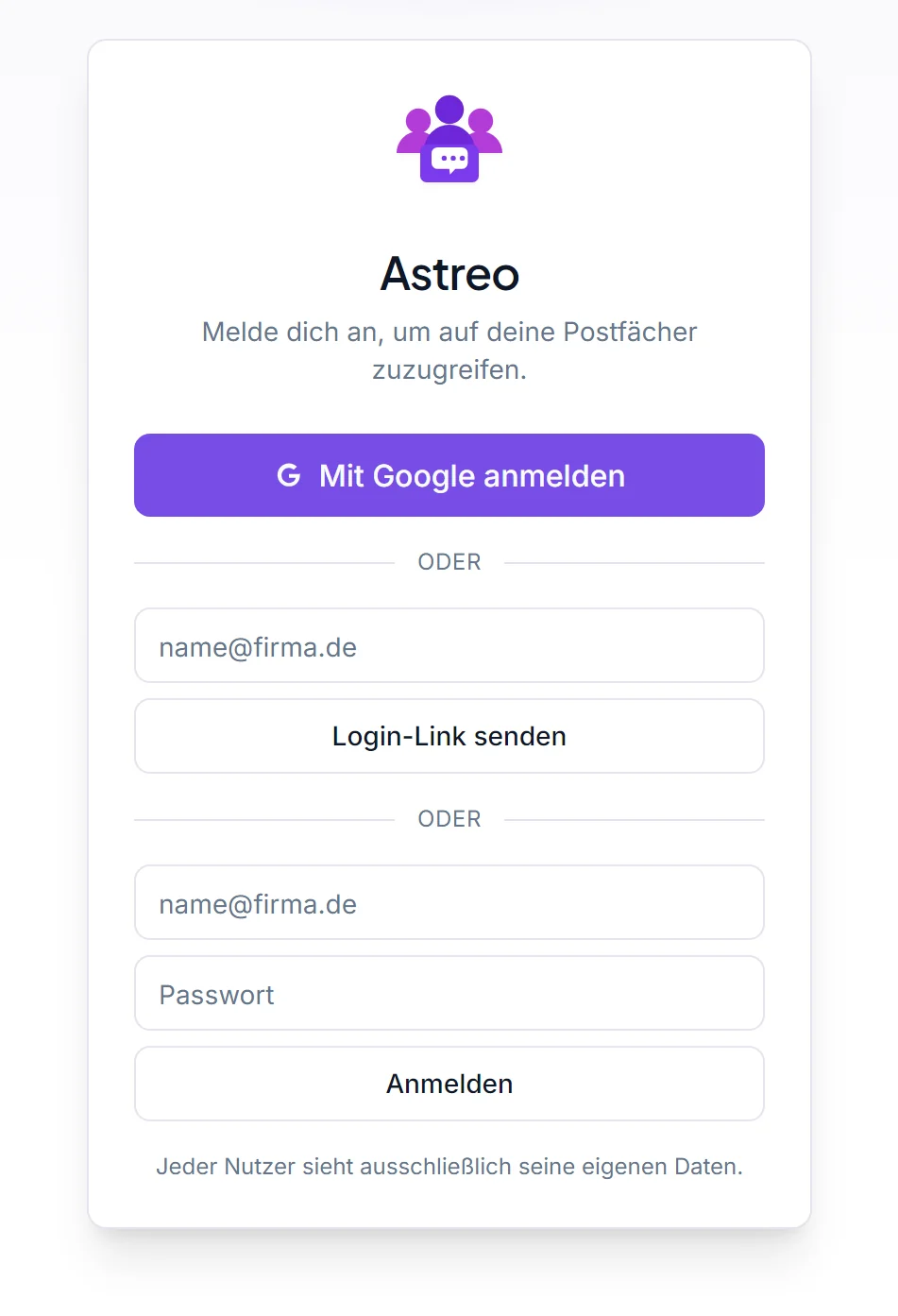
On your first sign-in your Astreo account is created automatically. Every user sees only their own data and the team mailboxes explicitly shared with them.
Connecting your first mailbox
After signing in, connect your first mailbox. Open the account settings and choose "Connect mailbox":
- Gmail / Microsoft: authorise via OAuth — you're redirected to the provider, confirm access and return to Astreo. No passwords are stored in Astreo, only encrypted access tokens.
- IMAP/SMTP: for any other provider — enter server, port and credentials. Credentials are stored encrypted at rest.
Details and special cases are under Connecting mailboxes.
The interface at a glance
Astreo is laid out in three columns, with a top bar:
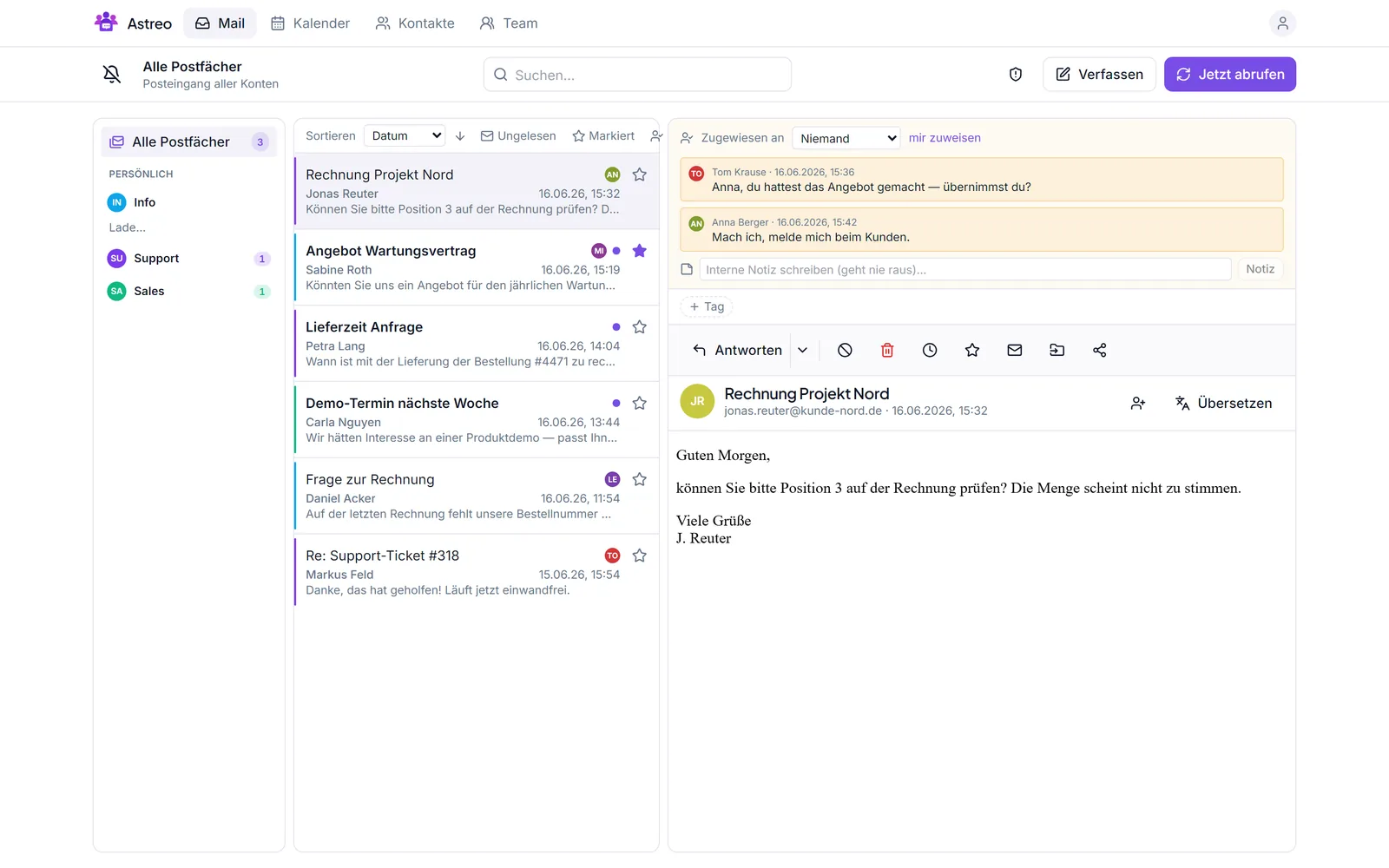
- Top bar: switch sections Mail · Calendar · Contacts · Team, global search, and the Compose and Fetch now buttons.
- Left column: your mailboxes and folders — "All mailboxes" bundles everything, with the individual accounts below (each with its account colour).
- Middle column: the thread list with subject, sender, preview, assignment and status.
- Right column: the open thread — read messages, internal notes, reply, assign, translate.
Use the theme icon to switch between light and dark; the language (DE/EN) can be switched too.