Set up AI
Add your own AI key and use reply suggestions, translation and grammar.
Astreo assists your writing with AI — reply suggestions, translation and grammar, always as an editable draft, never auto-sent. In the AI settings you set the provider, model and your preferred style. This guide walks you through the setup.
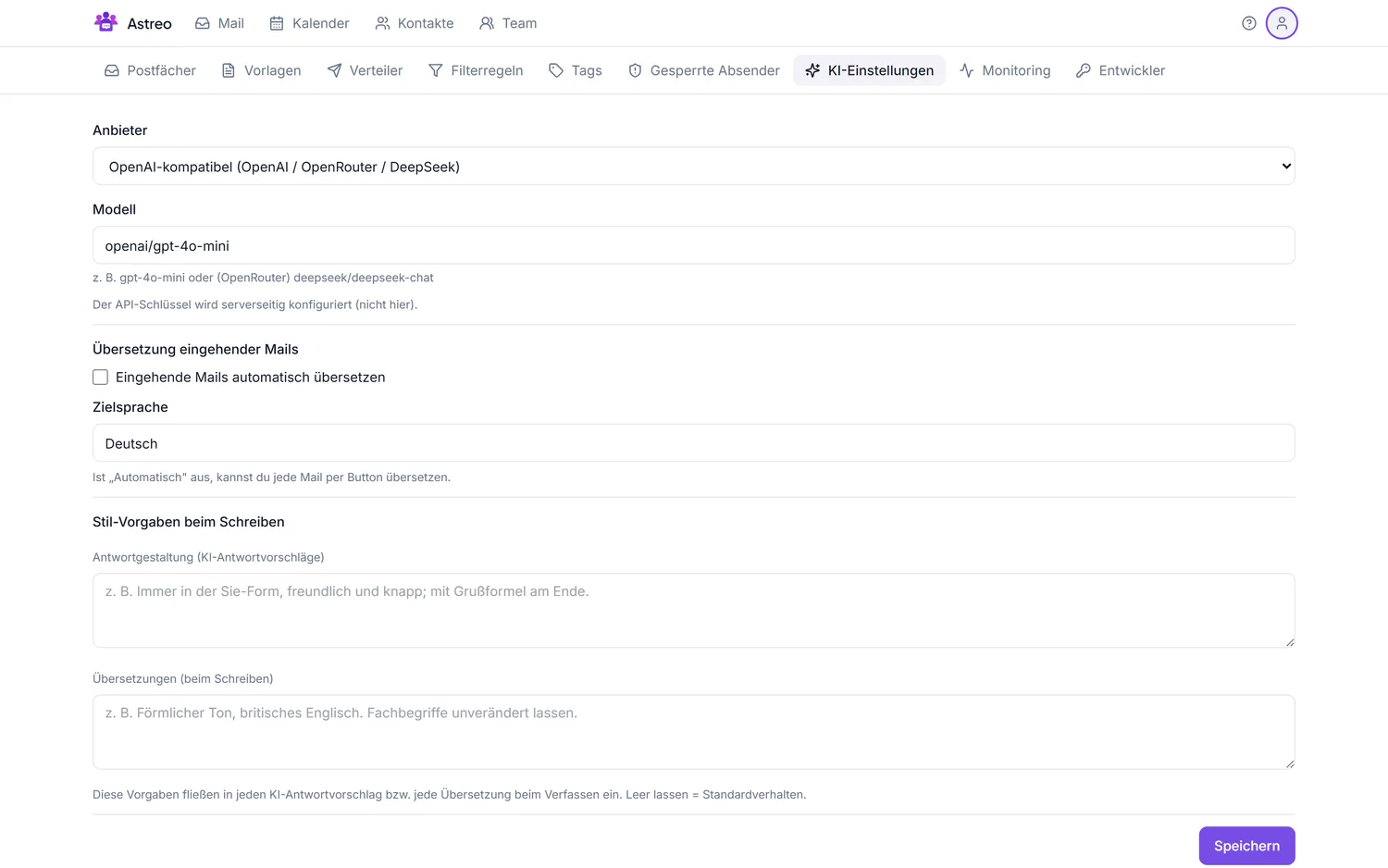
1. Open the AI settings
- Open the Settings via the avatar menu (top right).
- Switch to the AI settings tab.
2. Choose provider & model
- Under Provider, pick the right service, e.g. "OpenAI-compatible (OpenAI / OpenRouter / DeepSeek)" or Anthropic.
- Enter the desired model (e.g.
openai/gpt-4o-minion OpenRouter ordeepseek/deepseek-chat).
Note on the API key: the key is configured server-side, not in this form — for self-hosting in the server configuration, for the managed service by the provider. That keeps the key secure and out of the browser.
3. Translation & style guidance
- Auto-translate incoming mail: enable if foreign-language mail should be translated directly — otherwise you translate each mail by click.
- Target language: e.g. German (or "Automatic").
- Style guidance: short hints that flow into every suggestion — e.g. "always formal, friendly and concise, with a sign-off" for replies, or "formal tone, keep technical terms unchanged" for translations.
Don't forget to save.
4. Use the features
- Reply suggestion: creates a draft from the thread that you edit.
- Translate: translates a message or your reply draft.
- Grammar: smooths style and grammar before sending.
All outputs are drafts — sending stays your deliberate decision.
5. Privacy & cost
- Only the needed context goes to the AI (the relevant thread/excerpt), not the whole mailbox.
- No auto-send: the AI never writes to customers on its own.
- Cost arises directly with the chosen provider (BYO key) — transparent, with no markup by Astreo.
Background: AI features.